
Can an iPhone Shoot REAL Long Exposures?
Can an iPhone Shoot REAL Long Exposures?
There’s a certain kind of optimism that only exists in landscape photography.
You check the tide times.
You check the forecast.
You pack the filters.
You leave the house feeling like a tactical genius…
…and then the conditions turn up and say, “that’s cute.”
I headed down to Dollar Cove on the Lizard Peninsula with my mate and fellow photographer Andy Green, as in Andy Green iPhone Photography, We both love long exposure seascapes, but here’s the twist:
I’m shooting with my Canon EOS R (full-frame mirrorless, tripod, square filters… the whole “shiny bits” setup).
Andy shoots exclusively on an iPhone — and not in a casual “snap-and-go” way either. He’s using a proper tripod, a filter system, and specialist apps that let him do long exposure photography in a way that honestly surprised me.
And just to be clear from the start…
This wasn’t a “who’s better” video.
It wasn’t Canon vs iPhone.
It was a day on the coast showing that the best camera is the one you already have — if you learn how to use it with intent.
The Plan (And The Reality)
We arrived just after high tide, and we had a simple plan:
Wait for the tide to fall and reveal some rock patterns
Shoot side-by-side using similar focal lengths and filters
Compare the results and show what’s possible from each setup
Reality, however, was… foamy.
Neither of us had seen so much sea foam at Dollar Cove, and the swell kept pushing in long after we expected it to settle down. The light was harsh as well — the kind of light that makes you squint, mutter, and suddenly become very grateful for sunglasses.
So we adapted.
We shot a mix of 60s, 30s, 10s, and 2s exposures, and we leaned into black and white editing to make the most of the contrast, texture, and movement.
Because when the colour isn’t giving you anything…
you let texture do the talking.
Andy’s iPhone Long Exposure Setup (Yes, Proper Setup)
Andy is shooting on an iPhone 14 Pro, and he’s not relying on the phone’s built-in long exposure tricks.
He’s using:
A solid tripod setup
A NiSi mobile filter system (including CPL and ND filters)
Apps that allow him to control the capture in a way the native camera app simply doesn’t
The main app he uses is Even Longer (frame averaging), which basically captures a rapid burst of frames and blends them to create the long exposure effect.
That means:
You can keep ISO low
You can tame noise
You can create that soft water / cloud streaking look
And you can watch the image build live on the screen (which is actually brilliant)
We also talk about a great entry-level option for anyone wanting to try this: Slow Shutter Cam (cheap, simple, and perfect for learning).
My Canon EOS R Setup (The Traditional Route)
My side is the more traditional long exposure setup:
Canon EOS R on tripod
NiSi filters
Careful balancing of sky and foreground
Slowing the sea down into something calmer and more intentional
For one of the early frames, I shot:
Canon EOS R
ISO 50 | f/11 | 30s
NiSi True Color CPL + 3-stop medium GND + 10-stop ND
Classic long exposure technique: layers of glass, control, patience, timing.
Same Scene. Different Tools.
This is the part I loved most about the day.
Because despite the obvious differences in gear, the process was the same:
Two photographers.
Two very different cameras.
But the process?
The intent?
The patience?
Exactly the same.
And that’s the point.
You don’t need the most expensive kit to create meaningful images.
You need curiosity.
A willingness to slow down.
And the confidence to start with what you already have.
The Verdict
If you’re someone who’s been putting off photography because you “don’t have the right camera”…
Please hear this:
You can start today.
You can learn composition today.
You can learn light today.
You can learn timing today.
And if you’ve got a phone in your pocket?
You’ve already got a camera capable of making seriously good images.
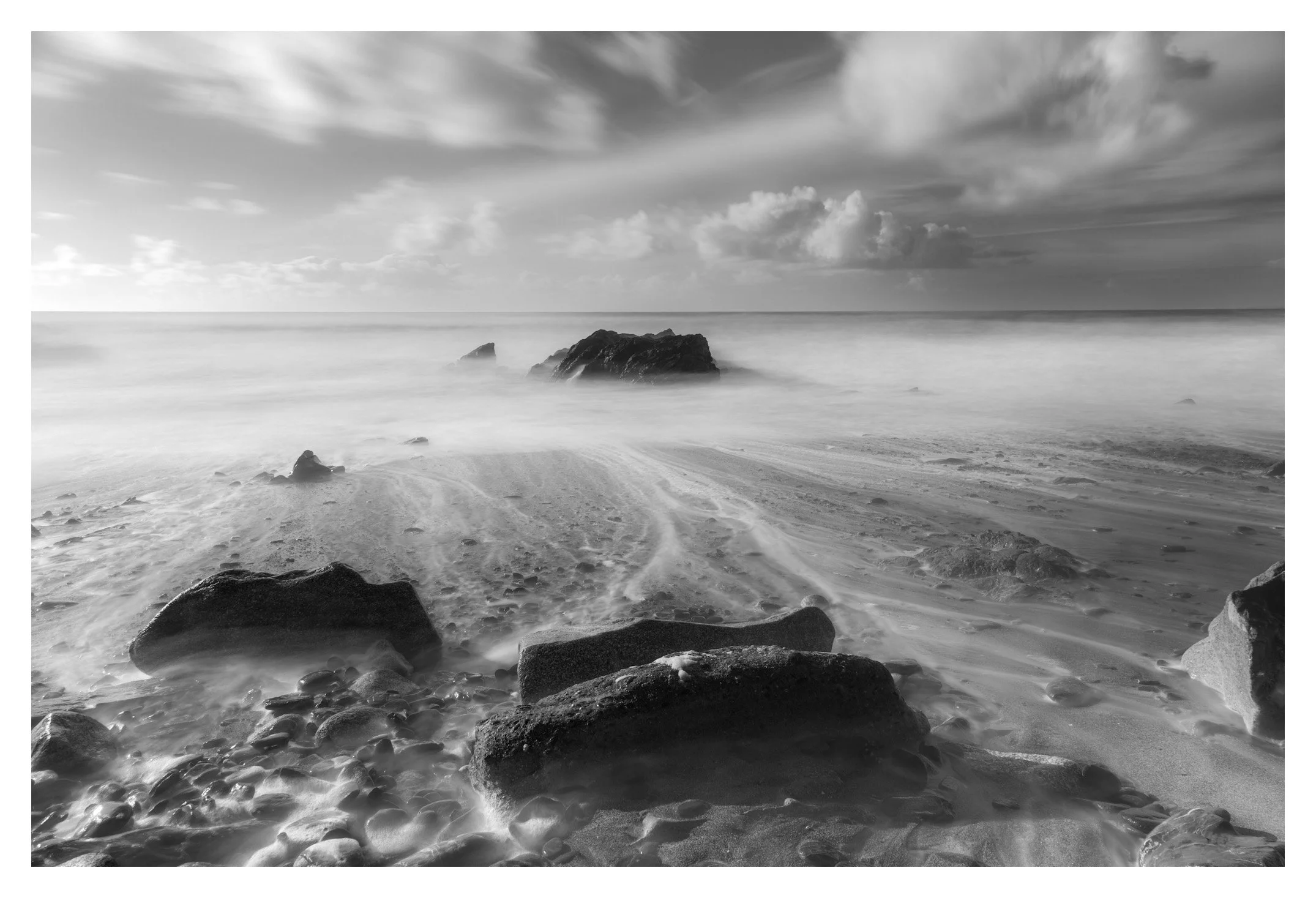
My Image from Dollar Cove, Canon EOS R, NiSi True Colour CPL, 3 Stop Medium GND, 10 Stop ND.
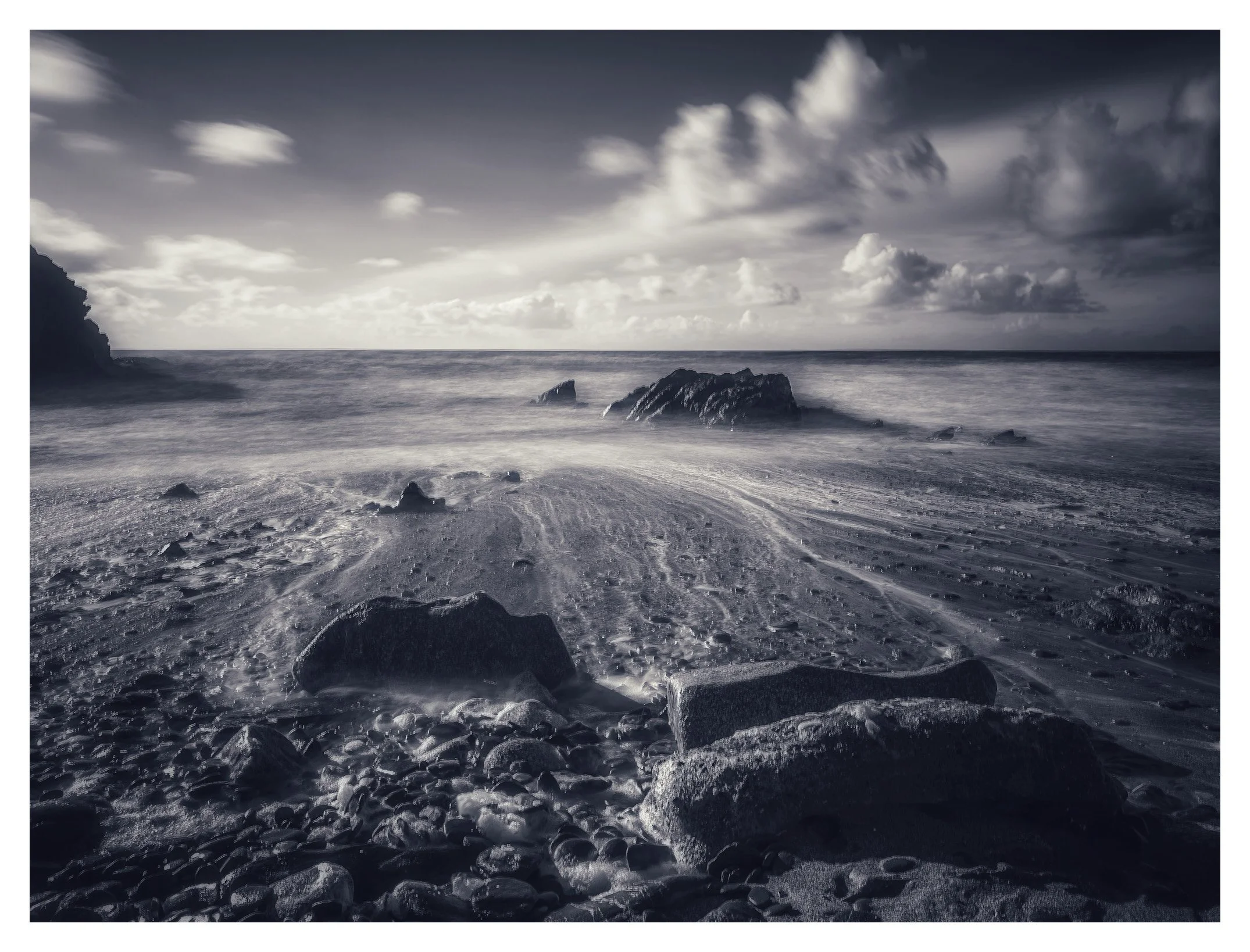
Andy’s image, iPhone 14 Pro, Even longer app, Nisi CPL and 6 stop ND
Watch the Video
The full video is now live on YouTube — and it’s got:
Honest chat about gear and apps
Side-by-side shooting in challenging conditions
Long exposure goodness
And a lot of laughs along the way
If you’d like to see more videos with Andy, let me know in the comments.